
Imagine doubling your sound experience by connecting two Bluetooth speakers at once — even if they’re from different brands. Whether you want to fill your space with richer audio or share your favorite tunes with friends, syncing two speakers can take your music to the next level.
But how do you get these devices to work together smoothly when they weren’t designed as a pair? If you’ve ever struggled with this, you’re not alone. In this guide, you’ll discover easy, step-by-step methods to connect two Bluetooth speakers from different brands, so you can enjoy louder, better sound without the hassle.
Ready to unlock the full potential of your speakers? Let’s dive in.
Bluetooth Basics
Connecting two Bluetooth speakers from different brands can be tricky. Each brand uses its own technology and settings. These differences create challenges when syncing sound between devices. Understanding these challenges helps in finding the right way to connect them.
Compatibility Issues
Not all Bluetooth speakers work well together. Different brands may use different Bluetooth versions. Some speakers support newer Bluetooth standards, while others do not. This mismatch can cause connection problems or poor sound quality. Devices may fail to pair or drop the connection often. The range and signal strength might also vary between brands. These factors affect the ability to play sound on both speakers at once.
Proprietary Features And Protocols
Many brands include special features in their speakers. These proprietary protocols help improve sound and connectivity. For example, some brands offer “party mode” or “stereo pairing.” These features only work with the same brand’s devices. Speakers from different brands lack support for these exclusive protocols. This limits the options for syncing two different speakers. Users may need extra devices or apps to bridge the gap. Understanding these limits is key for a smooth setup.
Challenges With Different Brands
Optimizing the audio experience is key when connecting two Bluetooth speakers from different brands. It ensures clear and balanced sound. Small adjustments can make a big difference. You get richer and more immersive audio that fills the room.
Adjusting Volume Levels
Set the volume levels on each speaker separately. Avoid having one speaker louder than the other. Try to match the volume for balanced sound output. This prevents distortion or uneven sound. Use your phone or device controls to fine-tune levels.
Synchronizing Sound Output
Sync the sound timing between both speakers to avoid echo. Some apps or devices offer a delay adjustment feature. Check for audio sync options in your Bluetooth settings. Test by playing a track and listen for any lag. Adjust delay until the sound matches perfectly.
Positioning Speakers For Best Sound
Place the speakers at equal distances from your listening spot. Avoid placing them too close or too far apart. Position them at ear level for clear audio. Keep them away from walls to reduce echo. Experiment with placement to find the best sound stage.
Methods To Connect Two Speakers
Connecting two Bluetooth speakers from different brands can be tricky. Using the right tools and accessories makes the process smooth and reliable. These devices and apps help you link speakers that normally cannot pair directly. They improve sound quality and keep devices in sync. Below are some recommended tools to help set up multi-speaker systems easily.
Top Bluetooth Transmitters
Bluetooth transmitters send audio signals to multiple speakers at once. Look for models with dual or multiple device support. These transmitters connect to your phone or computer via Bluetooth or audio cables. Some popular options include TaoTronics and Avantree. They offer strong signals and low latency for better sound sync. Using a transmitter lets you play music on two different brand speakers together.
Useful Apps For Multi-speaker Setup
Certain apps help manage audio output across several Bluetooth speakers. Apps like Bose Connect, Ultimate Ears, or AmpMe allow multi-speaker control. These apps sync music playback on different devices. They provide easy controls for volume and playback. Some apps work with multiple brands, while others support only specific ones. Check app compatibility before use for best results.
Aux Cables And Audio Splitters
Aux cables and audio splitters are simple and effective tools. Connect your audio source to a splitter, then link two speakers with aux cables. This method bypasses Bluetooth limits and offers stable connection. Use a quality splitter with separate output jacks for each speaker. Aux cables are inexpensive and work with almost any speaker. This option is great if Bluetooth pairing is difficult or unreliable.

Credit: www.reddit.com
Credit: www.fonegeek.com
Frequently Asked Questions
Can I Pair Two Different Brand Bluetooth Speakers?
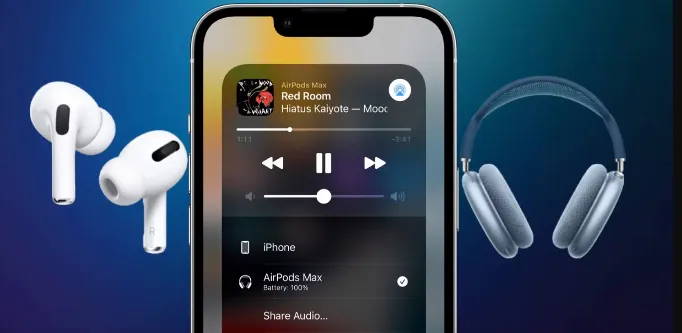
You can pair two different brand Bluetooth speakers using features like Dual Audio on Android or Audio Sharing on iOS. Otherwise, use a Bluetooth transmitter or aux cable for simultaneous playback. Compatibility depends on device support and apps, so check your speaker’s specifications.
How To Connect Two Bluetooth Speakers To Each Other?
Turn on both Bluetooth speakers and enable their pairing modes. Use your device’s Bluetooth settings to connect to the first speaker. Then, activate the second speaker’s pairing feature or use the device’s dual audio or multi-speaker mode to link both speakers for simultaneous playback.
Which Bluetooth Speakers Can Pair Together?
Bluetooth speakers from the same brand with features like PartyBoost or Connect+ can pair together. Some phones support dual audio for different brands. Third-party apps or Bluetooth transmitters also enable pairing of multiple speakers from different brands.
What App Can I Use To Connect Two Bluetooth Speakers To One Device?
Use apps like Bose Connect, JBL Connect, or Ultimate Ears to link two Bluetooth speakers to one device. Android’s Dual Audio also works.
Conclusion
Connecting two Bluetooth speakers from different brands is easier than it seems. Use your device’s settings or a Bluetooth transmitter to link both speakers. Keep volume levels balanced for the best sound experience. Remember, not all devices support simultaneous connections, so check compatibility first.
Enjoy richer, louder audio by pairing your speakers this way. Try it out and fill your space with great sound.
